




























ORDERDESK INTEGRATION
One token. Orders from 300+ carts and marketplaces.
Add Pictorem as a print-on-demand fulfillment service in OrderDesk and route orders from any of the platforms it supports straight to our production line.
How it works
OrderDesk is an order management hub: it connects to more than 300 shopping carts, marketplaces and fulfillment services, and applies your own rules to decide where each order goes. Pictorem is available there as a print-on-demand fulfillment service.
Generate an API token in your Pictorem account, paste it into the Pictorem integration in OrderDesk, and set the rules that decide which orders come to us. From that point every routed order is printed, packed under your brand and drop-shipped to your customer, with shipment status and tracking numbers pushed back to OrderDesk automatically.
WHAT YOU GET
Everything after the sale, handled.
Every channel in one place
Amazon, eBay, Etsy, Shopify, WooCommerce, BigCommerce, Walmart and hundreds more feed into OrderDesk. Connect once and route them all to us.
Rules decide what comes to us
Send only the wall art, only certain SKUs, or only North American orders. Everything else keeps going to whichever fulfillment service you already use.
A single API token
One token, created in your account with the scopes and expiry you choose, is the whole setup. Revoke it and the routing stops immediately.
Shipment status pushed back
Production status and carrier tracking numbers are returned to OrderDesk, which forwards them to the sales channel the order came from.
The full catalogue
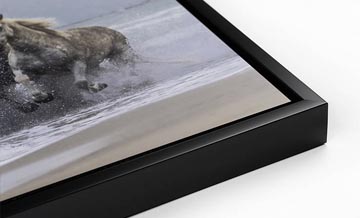
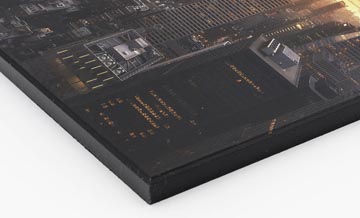
Canvas, framed prints, acrylic, metal, wood, fine art paper, murals and puzzles — the same range as any other ordering method.
Multi-channel white label
Whichever marketplace the order started on, it ships with your logo, no invoice and no mention of Pictorem.
GETTING STARTED
Set up once, then forget about it.
Create your free Pictorem PRO account and generate an API token
Add the Pictorem integration in your OrderDesk store and paste the token
Map your SKUs and set the rules that route orders to Pictorem
We print, drop-ship and return tracking to OrderDesk automatically
What you need
- A free Pictorem PRO account
- An OrderDesk account with at least one sales channel connected
- A Pictorem API token with ordering scope
- Your product SKUs mapped to Pictorem print types and sizes
QUESTIONS
Frequently asked questions
Does OrderDesk cost extra?
OrderDesk bills you directly for its own subscription. The Pictorem side — the PRO account and the API token — is free.
Can I use Pictorem alongside another fulfillment service?
Yes. That is what OrderDesk is for. Route wall art to us and keep sending your other products wherever they go today.
Where do I create the API token?
In your Pictorem account, on the API Key page. You can set the scopes and an expiry date, and revoke the token at any time.
How do you know which product to print?
From the SKU mapping you configure. Each of your SKUs points to a Pictorem print type and size, and the order carries the image to print.





Need help deciding?



Ready to print under your brand?
CREATE A FREE PRO ACCOUNTGet 15% Off
Create a free Pro account and unlock your discount now.
