








EFFET DE STYLE D'IMAGE IA
Agrandissez votre photo jusqu’à 4 fois grâce à l’IA : des détails plus nets, sans flou ni perte de qualité. Idéal avant de commander un tirage grand format.
Téléchargez votre image pour commencer
Formats acceptés : JPG, PNG, PDF, PSD, TIF, AI, EPS, WEBP, HEIC (jusqu'à 3 Go)
Les images dont la largeur dépasse 1 400 px sont automatiquement redimensionnées avant le traitement.
Astuce : pour obtenir des résultats d'une netteté optimale, téléchargez des images dont la largeur est inférieure à 1 400 px — des images plus petites permettent à l'IA de disposer de plus de marge pour reconstituer les détails les plus fins.
Pourquoi utiliser l'outil de mise à l'échelle d'images en ligne de Pictorem ?
Questions fréquentes
Qu'est-ce qu'un outil d'amélioration de la résolution d'images basé sur l'IA ?
Un outil d'amélioration de la résolution d'images basé sur l'IA utilise l'apprentissage profond (technologie Real-ESRGAN) pour augmenter la résolution de vos images tout en préservant — et en améliorant — leur netteté et leurs détails. Contrairement aux simples outils de redimensionnement, il reconstruit les textures fines au lieu de se contenter d'interpoler les pixels.
Dans quelle mesure puis-je agrandir mon image ?
Choisissez un grossissement de 2× ou 4×. Une photo de 1 000 × 1 000 px passe à 2 000 × 2 000 px avec un grossissement de 2×, ou à 4 000 × 4 000 px avec un grossissement de 4×. Les deux formats sont prêts à être imprimés en grand format, sur affiche ou sur toile.
L'outil d'agrandissement d'images est-il gratuit ?
Oui, l'outil d'upscaling basé sur l'IA est entièrement gratuit. Tous les visiteurs bénéficient d'un quota quotidien d'upscaling ; les membres inscrits sur Pictorem disposent d'un quota plus élevé.
Quels sont les formats d'image pris en charge ?
JPG, PNG, PDF, PSD, TIF, AI, EPS, WEBP et HEIC — fichiers d'une taille maximale de 3 Go. Les formats non compatibles avec les navigateurs sont automatiquement convertis avant le traitement.
Puis-je commander un tirage à partir de cette image agrandie ?
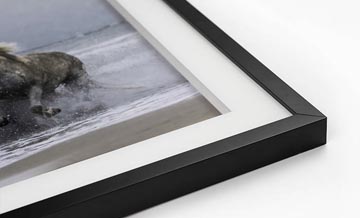
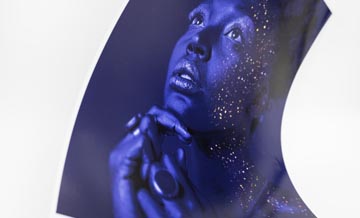
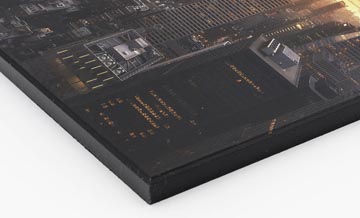
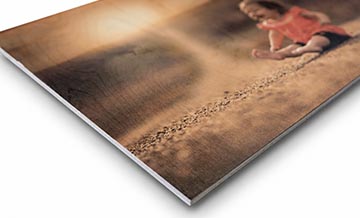
Oui. Une fois l'agrandissement effectué, cliquez sur « Commander un tirage » pour envoyer le fichier agrandi en haute résolution au service d'impression à la demande de Pictorem. Des tirages sur toile, sur acrylique, sur métal et sur bois sont disponibles ; l'indicateur de qualité sur la page de commande reflétera la nouvelle résolution obtenue après agrandissement.
L'agrandissement fonctionne-t-il sur les photos au format portrait ?
Oui, et vous pouvez également activer l'option « Amélioration des visages » avant l'upscaling : elle applique un renforcement de la netteté spécifique aux traits du visage, ce qui est idéal pour les portraits ou les photos de famille.
Quelle taille de fichier offre la meilleure qualité d'upscaling ?
Les images sources de petite taille — idéalement inférieures à 1 400 px sur le côté le plus long — donnent les résultats les plus nets. Le modèle d'IA reconstitue les détails fins pixel par pixel et fonctionne mieux lorsqu'il n'a pas à prétraiter un fichier déjà volumineux. Les images de plus de 1 400 px sont automatiquement réduites avant l'agrandissement, ce qui peut nuire à la qualité finale par rapport à une image originale plus petite.
