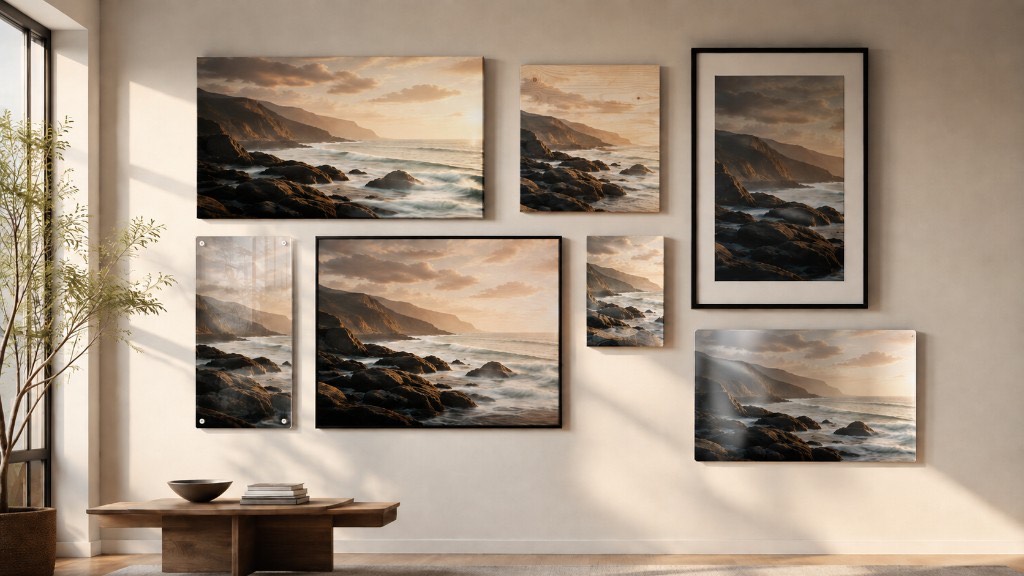
One artwork in, a whole product range out
A template is a saved recipe: which print mediums you sell, how they are framed and mounted, which sizes you offer, and how they are priced. Build it once, then apply it to one artwork or your entire catalogue in a single run.
Create a template
Name it after what it sells — “Gallery canvas range”, “Framed editions”. Set the currency you want to list in and how prices should be worked out.
- Follow your gallery pricing, or set a markup that applies only to this template.
- Choose price endings, a minimum margin, and the currency you export in.
Add your product types & sizes
A product type is one thing you sell: stretched canvas, a framed print behind glass with a 2in mat, brushed metal. Pick a material, then a mounting, a mat and a moulding, and say which sizes that type is offered in.
- Every option shows what it adds to the cost before you pick it.
- Mouldings are shown as corner samples, and the piece is drawn on a wall as you choose.
- Combinations that cannot be produced are never offered.
- Offer a range along the long edge, an exact list, or fixed retail sizes like 16×20.
- The price grid prices every size against a real artwork as you change it.
Generate your products
Pick the artworks and run it. Every product type crossed with every size becomes a real, priced product with its own SKU, ready to publish.
- Run it again after a price change and everything is rebuilt cleanly.
- Listing photos already on file are reused; the rest are queued.
- Sizes your file cannot print sharply, or that miss your minimum margin, are kept but locked with the reason shown.
Export them to your platforms
Send the finished products to your own store. Choose a channel, pick what to publish, and Pictorem creates the listing with its sizes, prices and photos already in place.
- Etsy and Shopify today, with more sales channels being added.
- Publish a single product or a whole selection in one run.
- Orders come back to Pictorem for production — turn on automatic payment and they are charged to your saved card without you doing anything.
- Publishing again creates a new listing rather than editing the one already live, so nothing on your store changes behind your back.
What gets checked for you
Every size of every product type is checked before it becomes sellable. Anything that fails is kept and labelled rather than quietly dropped, so you can always see why.
A size your file cannot hold sharply is locked, measured against the real pixel dimensions of your upload.
If production cost plus a marketplace fee would eat the sale, the size is locked before it can be listed.
Your own minimum and maximum sizes are respected, as are the limits of the moulding you picked.
Mockups already on file are reused when they are large enough for the marketplace. The rest are queued to be made.
Every product gets a unique code so an order always maps back to exactly what you sold.
Change a price or a size rule and run it again — products are rebuilt cleanly rather than duplicated.
Worth knowing before you start
- Marketplaces cap how many variations a listing can have. Etsy allows two option groups and 71 variations per listing; Shopify allows three options and 100 variants. A template with many mediums and many sizes will need splitting across several listings.
- Murals and puzzles are not part of templates. A mural is sized off your wall rather than a print size, and a puzzle has its own ordering path — neither fits a recipe whose whole point is one configuration at many sizes.
- Fixed retail sizes only fit some artwork. A 16×20 needs a 4:5 image. If your piece is a different shape you can skip those sizes or allow a small crop — the builder shows you which of your artworks fit.
Ready to build your first template?
Sign in or create a free account — it takes under a minute, and nothing is published until you say so.
Send us feedback
About the Product Builder — it goes straight to our team.
Thank you — got it.
Your feedback is on its way to our team. It genuinely shapes what we build next.